
TNB Electron is a mostly DC network at highway R&Rs, petrol stations, malls and TNB buildings, with infrastructure rated up to 480 kW at some locations. Depending on the site, you start a session by tapping your card at the charger’s payment terminal, no app needed, or through the GO TO-U app, and some sites take both. Here’s what it costs, how both methods work and who to call.
Operator at a glance
| Item | Details |
|---|---|
| Operator | TNBX Sdn. Bhd. (201701040742 / 1254915-P), the charge point operator for TNB Electron |
| Network type | Public DC chargers at highway R&Rs, petrol stations, malls, drive-thrus and TNB premises, plus some AC. A small share of points are private, like restricted sites at TNB and government buildings. |
| Network size | TNBX’s CPO page lists 214 charge points operated (undated, viewed 16 November 2026). Separately, TNB reports 256 charge points installed as of end 2025, and the Energy Commission’s 2025 approved charger data put TNBX at 164 points, ninth of any network. These are differently defined figures (operated, installed, approved), so don’t read them as growth from one year to the next. |
| Charger types | Mostly DC. TNBX advertises charging rated up to 480 kW at some locations, but that’s a site rating, not a promised speed per car. Your actual speed depends on power sharing, your car and its battery. There’s also 47 kW DC at some malls and 22 kW AC at a few TNB premises. Check power and plug type for each site before you go. |
| App | GO TO-U (iOS and Android), a third-party charging app used for TNB Electron app activation. Some chargers use a contactless payment terminal, some take GO TO-U and some take both. Reservations are only at participating chargers. |
| Card payment | Contactless terminals at selected sites. Tap an eligible credit or debit card, or a compatible phone wallet where the terminal accepts it. |
| Website | tnbx.com.my |
| Customer support | tnbx-electron@tnb.com.my or 019-354 8629, Monday to Friday, 9am to 5.30pm, except public holidays. For GO TO-U app billing, support@go-tou.com. |
| Office address | Level 13, Wisma TNB, No. 19, Jalan Timur, 46200 Petaling Jaya, Selangor |
TNB Electron rates per kWh
TNB Electron doesn’t have one current nationwide rate card in the sources we checked. An older TNBX site list shows the examples below. These are historical listed rates and may have changed, so confirm the price, the charging unit (per kWh or per minute) and the payment method at the station or in the app before you start.
Historical TNBX site-listed rates (not verified current prices)
| Charger type | Older TNBX listed rate (not current, not a national rate) | Idle fee | Notes |
|---|---|---|---|
| DC fast (90 kW to 400 kW sites) | Mostly RM1.50/kWh, for example Juru Setia Sentral (Penang), R&R Gurun (Kedah), R&R Machap (Johor) and R&R Paka (Terengganu). R&R Tapah Northbound (Perak) is listed at RM1.80/kWh. | Shown in the GO TO-U app or at the charger | A few sites are listed on promo at RM1.20/kWh. R&R Ayer Keroh Northbound (Melaka) is listed at RM2.20 per minute, not per kWh. |
| DC (47 kW, malls) | RM1.35/kWh, for example AEON Mall Taiping, AEON Mall Bukit Mertajam and AEON BiG Wangsa Maju | Shown in the app or at the charger | |
| AC (22 kW) | RM0.90/kWh at TNB Platinum, a restricted site | Shown in the app or at the charger | Very little public AC. |
Last checked 16 November 2026. These are older listed rates, so always check the app or the terminal before charging.
Watch the unit. Most sites charge per kWh, but at a per-minute site you pay for time, not energy, so a car that charges slowly pays more per kWh. Want to know what a full charge costs your car? Plug the rate into our EV charging cost calculator.
How to start a charging session with TNB Electron
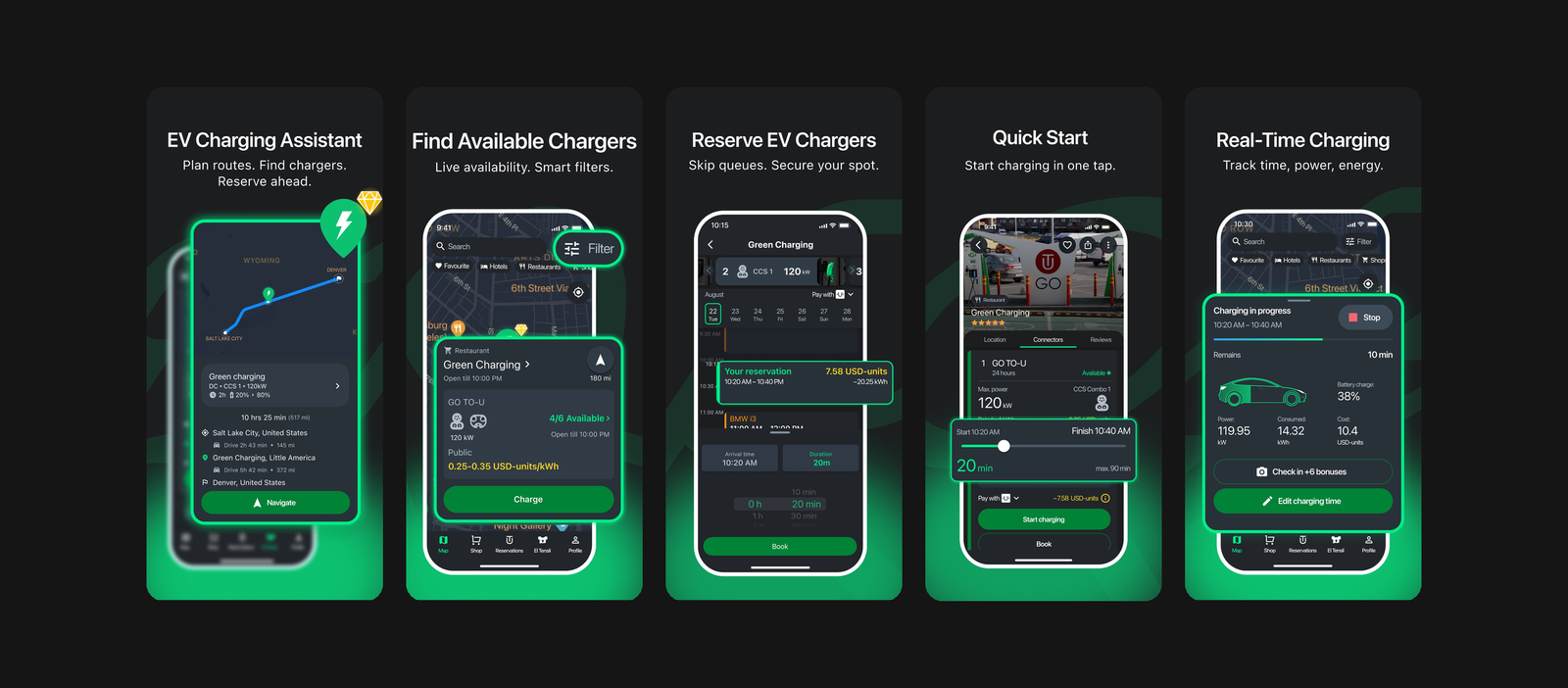
This is the GO TO-U app, not a TNB Electron app. TNB Electron chargers with app activation use GO TO-U. These are the app’s own store screenshots, so the prices and places shown are samples, not TNB Electron rates.
There are two ways, and each site supports one or both. Check the site before you drive there, because some take card payment only.


Some TNB Electron chargers use a contactless payment terminal, some offer GO TO-U app activation, and some support both. Reservations are only at participating chargers.
With a card at the terminal (no app):
- Park at the bay and plug the connector into your car.
- Tap an eligible credit or debit card, or a compatible phone wallet where accepted, on the payment terminal and follow the prompts. Check any pre-authorisation shown before you confirm.
- When you’re done, stop the session, unplug and move the car. The actual cost is settled and any unused hold is released.
With the GO TO-U app:
- Download GO TO-U, sign up and verify your mobile number.
- Top up your GO TO-U balance with a card, or add a card to pay directly. Card payments put a temporary hold on your card before the session.
- Find a TNB Electron charger on the map. If that charger offers reservations, you can book a time slot. Otherwise start right away when it’s free.
- Plug in and start the session in the app. You can track it and end it any time.
- The app tells you when charging is done or your reservation is ending. Unplug and move before the buffer time runs out to avoid extra fees.
Problem at the charger? Email tnbx-electron@tnb.com.my or call 019-354 8629 on weekdays. For billing in the app, email support@go-tou.com.
Payment, reservations and idle fees
| Method | Details |
|---|---|
| Card terminal | Tap an eligible credit or debit card, or a compatible phone wallet where accepted, at selected sites. No app needed. A pre-authorisation can go on your card, and the actual cost is settled after the session. |
| GO TO-U balance | Prepaid top-up with your card. You can ask GO TO-U support to refund unused balance, subject to verification. Approved refunds start within 10 business days after GO TO-U has the information it needs, and your bank may take longer. Any deduction is limited to actual non-refundable third-party processing fees, capped at 5%. |
| Card in the app | A pre-authorisation hold for the expected cost before the session. If the session costs more, GO TO-U can place an extra hold or charge the difference. |
| Hold amount | Not published by TNBX |
| Reservations | Only at participating chargers in GO TO-U. More than three no-shows in 30 days can get your reservations disabled. |
| Blockage penalty and idle fee | For sessions through GO TO-U, its platform terms allow a per-minute blockage penalty if you stay plugged in past the buffer time during a reservation, and an idle fee after the reservation ends. Whether these apply, the rates and the grace period depend on the charger and are shown for that session. TNBX doesn’t publish a network-wide idle fee. |
| Subscription | None published |
Pros and cons
| Pros | Cons |
|---|---|
| Tap-to-pay terminals, no app needed at many sites | Some sites are card only, so the app won’t start them |
| Sites rated up to 480 kW at some locations | No current rate card on TNBX’s main pages |
| Strong highway and East Coast coverage | Older listings include per-minute pricing |
| Reserve a slot in GO TO-U at participating chargers | Support lines are weekdays only |
Where to find TNB Electron charging stations
TNB Electron sites are along the North-South Highway and the East Coast Expressway, at petrol stations on trunk roads, at malls and drive-thrus, and at TNB offices and yards. Check which payment methods each site takes, then check the map in GO TO-U, or TNBX’s locations page, before you drive there.
TNB Electron on TNBX Compare all charging networks
Our take
This section is EVCharge Malaysia’s opinion, not an official position from TNBX.
The card terminal is the best reason to keep TNB Electron in your plan. No app, no sign-up, just tap. That makes it a very good backup on a balik kampung drive, especially on the East Coast, when your main app is giving trouble.
Going by the older TNBX listings, pricing looked middle of the road. Illustrative maths at that historical RM1.50/kWh: 40 kWh is RM60, against RM64 at RM1.60/kWh. Check today’s rate at the station.
Two things to check before you go. First, whether the site takes the app, the card terminal or both, because some are card only. Second, the unit. For illustration, an older TNBX list had Ayer Keroh Northbound at RM2.20 a minute. At that historical listed rate, 30 minutes would cost RM66 no matter how much energy your car takes. It’s not a confirmed current rate. Compare TNB Electron with the other networks on our charging networks hub, or run your numbers in the charging cost calculator.
FAQ
How much is TNB Electron per kWh?
It varies by station. An older TNBX site list records both per-kWh and per-minute rates, for example RM1.50/kWh at several DC sites, but that isn’t proof of today’s prices. Check the live rate at your station or in the app before charging.
Do I need an app to charge at TNB Electron?
Not at sites with a card payment terminal. Just tap an eligible card, or a phone wallet where the terminal accepts it. Other sites use the GO TO-U app, and some support both.
Which app does TNB Electron use?
GO TO-U, a third-party app used for TNB Electron app activation and payment. Not every charger takes the app, because some are card terminal only.
Does TNB Electron charge idle fees?
It can. For GO TO-U sessions, the platform terms allow a blockage penalty if you stay plugged in past the buffer time and an idle fee after your reservation ends. Whether it applies and the rate depend on the charger, and they’re shown for that session.
Can I reserve a TNB Electron charger?
Only at participating chargers in the GO TO-U app. A charger that takes the app doesn’t always take reservations. Don’t skip too many bookings. More than three no-shows in 30 days can get reservations disabled.
How do I contact TNB Electron customer service?
Email tnbx-electron@tnb.com.my or call 019-354 8629, Monday to Friday, 9am to 5.30pm. For GO TO-U app billing, email support@go-tou.com.
Reviewed on 16 November 2026 against TNBX, TNB and GO TO-U’s own pages. Rates shown are older listed examples, and live rates, payment options and station availability can change, so check the app or the terminal. Spotted a change? Email admin@evcharge.my.