
chargEV is one of the biggest public charging networks in Malaysia, and you’ll find it in plenty of malls, hotels and office buildings. It’s run by Yinson GreenTech now, not MGTC directly. Here’s what it costs, how to pay and what to watch out for before you plug in.
Operator at a glance
| Item | Details |
|---|---|
| Operator | Green EV Charge Sdn. Bhd. (Yinson GreenTech) |
| Owned by | Yinson GreenTech holds 90% (Yinson annual report, year to 31 January 2026). The other 10% is a minority stake. MGTC’s GreenTech Malaysia Alliances (GTMA) was the original partner and sold part of its shares to Yinson in September 2023. |
| Network type | Public network, mostly malls, hotels and offices, plus some highway sites |
| Network size | 650 charge points on 434 chargers across 220 sites (Yinson GreenTech, as of FY2026). A company snapshot, not a live count. |
| Charger types | AC and DC fast charging |
| App | chargEV app (chargEV 2.0, out since 28 July 2026) |
| Website | yinson-greentech.com/chargev |
| Customer support | chargEV Help Centre or support@chargev.my |
| Office address | Yinson GreenTech, Level 16, Menara South Point, Mid Valley City, Medan Syed Putra Selatan, 59200 Kuala Lumpur |
| Corporate phone | +603-2289 3888 |
| Corporate email | ygt@yinson.com |
Charging rates
| Charger type | Typical price | Idle fee | Notes |
|---|---|---|---|
| AC | Estimated around RM1.00/kWh | Varies by location | Estimate based on the 22 kW AC rates seen at chargEV mall sites in 2026. Prices vary by site, so check the chargEV app before plugging in. |
| DC fast | Estimated RM1.30 to RM1.60/kWh | Example: RM0.50/min after a 20-minute grace period (Starling Mall, in place since August 2025) | The bigger 120 kW and up chargers are usually at the top of the range. The idle fee and grace period are shown on each connector in the app. |
Rates vary by site. Always check the app before charging.
How to start a charging session with ChargEV
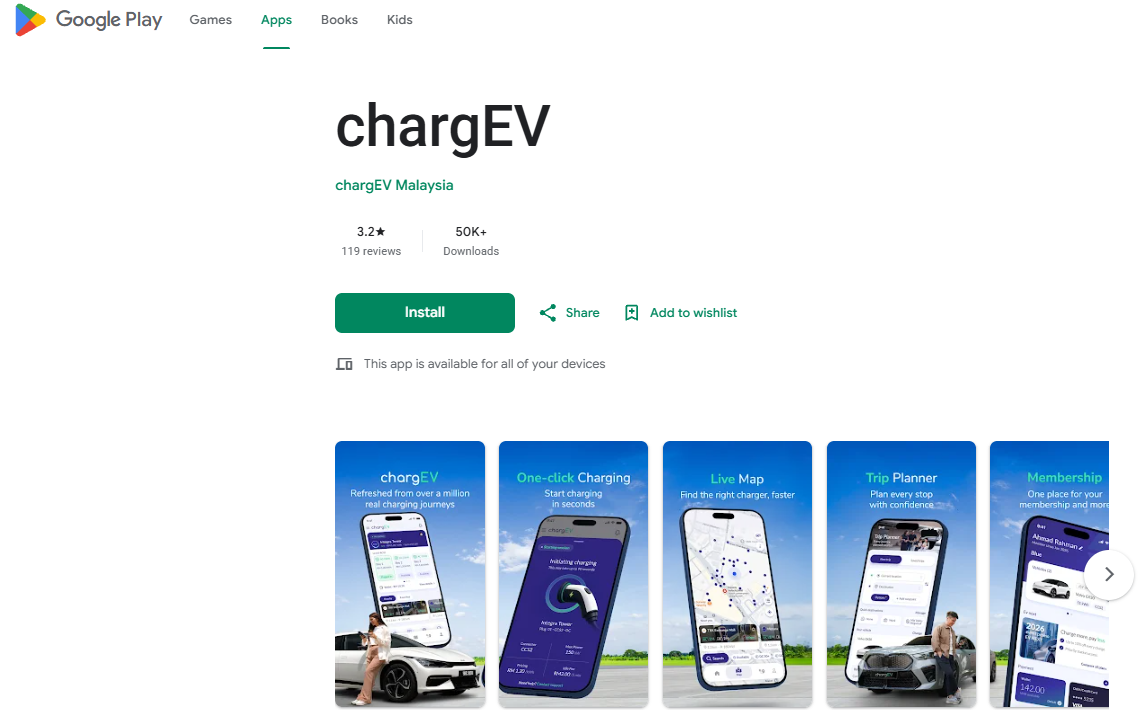
For the steps below you need the chargEV app. Set up your account once, then follow the plug-in sequence at the station. Some chargEV chargers can also be started from partner roaming apps, but chargEV promos and brand plans may not apply there.


- Open the app, tap Register, and finish the on-screen sign-up steps.
- Add a payment method. Open any nearby location in the app, tap Add card, and follow the prompts. Credit, debit and prepaid cards are supported.
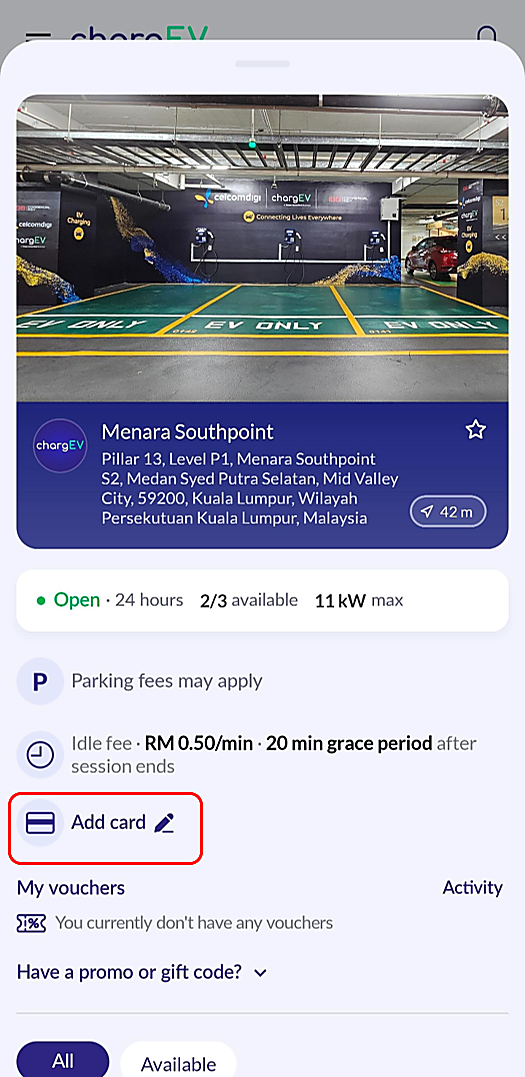
Step 2: Tap Add card on the location page to add your payment method. - At the charger, plug the cable into your EV first.
- In the app, open Home or the location or station details page, then tap the correct plug or bay number to start the session.
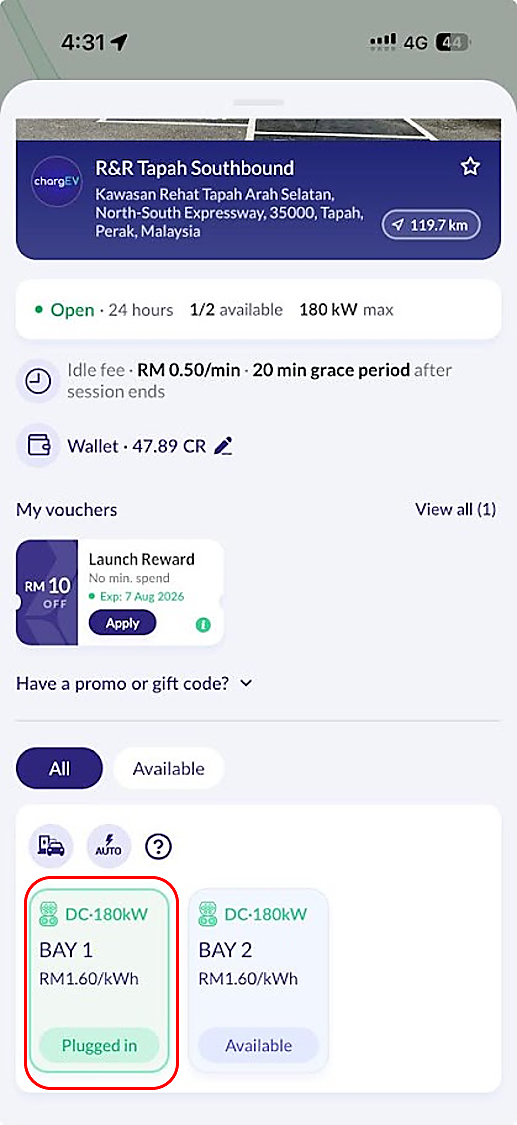
Step 4: Select the bay number that matches the charger you have plugged into. - When you are done, tap Stop charging in the app. Unplug, then return the connector to its holder.
Prices, availability and other details shown are examples from the screenshots, not live information.
Full walkthrough: How to Get Started and Start Charging on the chargEV Help Centre.
On chargEV 2.0, supported EVs can also use AutoCharge, where the session starts once you plug in. Not every car or charger supports it yet, so check the icon on your saved vehicle in the app and finish the setup first.
Payment and card holds
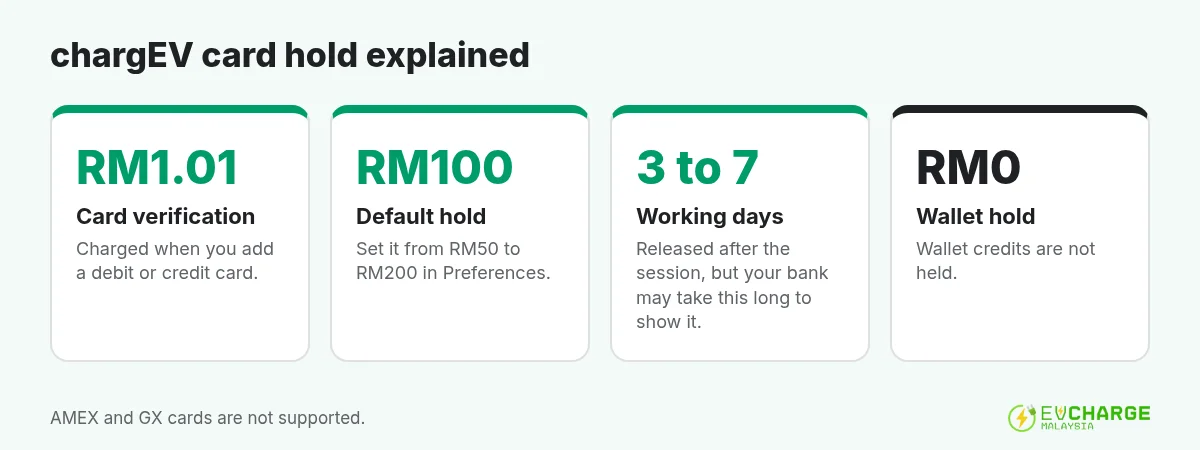
| Method | Details |
|---|---|
| Debit or credit card | A RM1.01 verification charge applies when you add a card, credited back within 3 to 21 working days. This is separate from the session hold below. AMEX and GX cards are not supported. |
| Card hold | RM100 by default, placed when you start a session. You can set it between RM50 and RM200 in Preferences. If the session reaches the hold amount it stops automatically, and the app warns you at about 90%. The unused balance is released after the session, but your bank may take 3 to 7 working days or more to show it. |
| Wallet | Wallet credits are not held. You can’t top up the Wallet yourself, credits come from chargEV or partner redemptions. |
| Brand plans | Plans for some car brands, like Zeekr, BYD, Denza and Leapmotor, given through the dealer when you buy the car. Caps, validity and covered chargers differ by plan. Old membership plans, including the NETA plan, are discontinued. |
Pros and cons
| Pros | Cons |
|---|---|
| Big network, lots of mall locations | Price changes from site to site |
| Rates shown in the app before you charge | Idle fees can add up if you leave the car |
| Brand plans can cut DC costs | Card hold of up to RM200 on your bank |
| Wallet option, no hold | No AMEX or GX card |
Station map
Want to see every chargEV station? Use the live map in the app, or check PlugShare for user reviews and check-ins.
Get the chargEV app View on PlugShare
FAQ
How much is chargEV per kWh?
There’s no single network-wide rate. Bigger DC chargers are usually RM1.60/kWh, smaller DC units can go as low as RM1.30/kWh, and AC is around RM1.00/kWh. Always check the charger in the app before you start.
Does chargEV charge idle fees?
Yes, at sites where it’s switched on. There’s a grace period first, shown on the connector details in the app, and the app will notify you before the fee kicks in. Turn on push notifications so you don’t miss it.
Why was RM100 taken from my card?
That’s a temporary pre-authorisation hold, not an extra fee. You only pay the final amount in your Charging History, and the rest is released after your session, though your bank may take 3 to 7 working days or more.
Which cards does chargEV accept?
Most debit, credit and prepaid cards. AMEX and GX cards don’t work. You can also pay with Wallet credits if you’ve got some from a promo or partner.
Is chargEV still run by the government?
Not directly. Yinson GreenTech holds 90%. MGTC’s GTMA was the original partner and sold part of its stake to Yinson in 2023.
Details checked against chargEV’s official sources on 15 November 2026. Spotted a change? Email admin@evcharge.my.